🎮 Minecraft Cape Maker 🎮
✏ Draw with mouse or finger · Right-click to erase
64 × 32 pixels — Standard Cape Texture Format
Player Preview
Preview of your cape on a player. It does not add a cape to your game account.
🗺 Cape Map Reference
x:1 y:1 → 10×16
x:12 y:1 → 10×16
x:1 y:0 → 10×1
x:0 y:1 → 1×16
Draw your own Minecraft cape!
🎨 Color
🖊 Tools
Layers
Patterns
📂 Import / Export
Finally, a Cape That Isn’t a Mojang Freebie
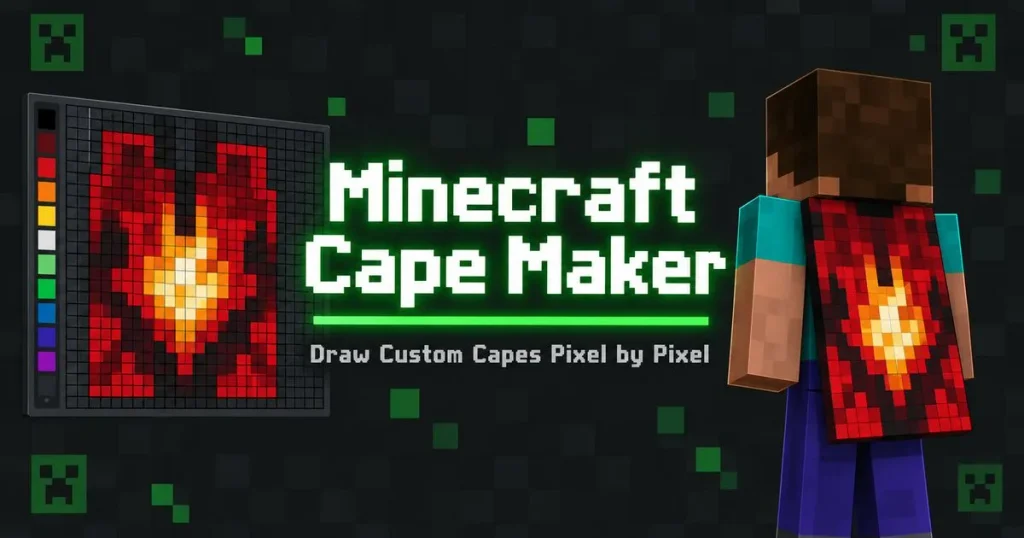
Capes in Minecraft have always been reserved for the lucky few — Migrator cape holders, Minecon attendees, the occasional promo giveaway. Everyone else is stuck flying around with nothing but a chest plate flapping in the wind. Our Minecraft Cape Maker lets you design your own, sized and shaped exactly to the game’s cape template, so you can use it anywhere a custom cape is supported (resource packs, certain servers, and cape-enabled clients).
Because the cape texture is a completely different shape from a skin — a 64×32 pixel template, long and narrow, split into front/back sections — most people just guess when they try to make one by hand. This tool lays the template out for you so you can actually see what you’re painting and where it’ll fold on the character’s back.
How to Design Your Cape
- Start from a blank cape template or upload an existing cape PNG to edit.
- Paint directly on the 64×32 template, which is pre-mapped to match the cape’s real proportions (so nothing gets stretched or cut off).
- Use the back preview to check how your design looks once it’s actually draped on a character, not just flat on the canvas.
- Add symbols, stripes, or a full custom design — go for a guild crest, a flag, or something totally original.
- Download your finished cape as a properly formatted PNG, ready to apply through a resource pack or supported client/server.
A Few Things Worth Knowing Before You Start
- Vanilla Minecraft doesn’t let players upload custom capes to their official Mojang account — official capes are earned through events or purchases. This tool is built for resource packs, mods, and servers that support custom cape textures.
- Keep your design readable at a distance. Capes are small on-screen and move constantly, so bold shapes and high contrast read a lot better than fine detail.
- Match it to your skin. A cape that shares colors or a motif with your skin looks intentional instead of like two random assets slapped together — pull your palette from your skin in the Minecraft Skin Editor for a matching set.
Cape Design Ideas Worth Trying
- A simplified version of your skin’s chest emblem, scaled up so it’s still readable when the cape is moving.
- Vertical stripes or a gradient — some of the most recognizable capes (official or fan-made) lean on simple, bold shapes rather than intricate detail.
- A symbol tied to your server or guild, so anyone wearing the matching cape is instantly recognizable as part of the same group.
- Torn or tattered edges for a battle-worn, adventurer look — paint the bottom edge irregularly instead of a clean straight line.
Getting the Back-View Preview Right
The single biggest difference between a cape that looks good on the template and one that looks good in-game is movement. A cape isn’t static — it billows, folds, and catches wind depending on which way your character is moving. A couple of things to keep in mind:
- Center your main design vertically, since the top and bottom edges are the parts most likely to fold or curl during movement, hiding detail placed there.
- High-contrast borders read better in motion than subtle color transitions, which can blur together as the cape animates.
- Always check the preview from behind, not just from the front-facing character view — that’s the angle other players will actually see most of the time.
- Elytra owners, take note. Some mods and resource packs let a cape design double as an elytra texture. If you’re planning to reuse this design on your elytra, keep the shoulder-area artwork simple, since elytra wings stretch the texture differently than a standing cape does.
Frequently Asked Questions (FAQs)
Can I use a custom cape on my official Minecraft account?
No, Mojang doesn’t currently allow players to upload custom capes to their official account — capes made here are meant for resource packs, mods, or servers that support custom cape textures.
What size should my cape image be?
The cape template follows Minecraft’s standard 64×32 pixel cape texture, and the tool automatically keeps your design aligned to those proportions as you paint.
Can I turn my skin’s colors into a matching cape?
Yes, you can manually match colors from your skin, or start your cape design right after finishing a skin in our editor to keep the palette consistent.
How do I preview how the cape will actually look on my back?
Use the built-in back-view preview, which shows your flat design wrapped and draped the way it will appear on a moving character in-game.
Does the cape support two-sided designs?
Yes, the template includes both the outer (visible) side and the inner lining, so you can design what shows when the cape flutters or turns.
Can I upload an existing cape to edit it further?
Yes, upload any cape PNG and continue editing it with the same tools used to design one from scratch.
Is the Cape Maker free?
Yes, designing and downloading capes is completely free with no limit on how many you create.
Why does my cape design look distorted in-game?
This usually means the design wasn’t aligned to the correct cape template proportions before exporting — always design directly on the provided template rather than pasting in an image at a different size.
Can I make a cape that matches my server’s team colors?
Yes, this is a common use — design a set of capes sharing a base color scheme so team members are instantly recognizable during PvP or events.
Do capes support animated or moving textures?
No, cape textures (like skins) are static images — any “movement” you see in-game comes from how the game engine animates the cloth physics, not from the image itself.
Can I use a cape design as an elytra texture too?
Some resource packs and mods let a cape texture double as elytra artwork, though the wings stretch the image differently than a cape does, so simpler designs tend to translate better between the two.